Drums in the Deep: An Orcish Chase in 20 KB

The Neon Pursuit experiment continued, and this one is my favorite so far. Drums in the Deep is another original chiptune composed by Claude Fable 5 in the ZzFXM format — but where Neon Pursuit was all neon and techno, this is more torchlight and dread.

Press play (the first press renders the song and the visualizer data, then it loops):

As before, the whole production — synth, sequencer, song data, player UI — is one self-contained HTML file you can open in its own tab and view source on: DrumsInTheDeep.html — the full self-contained player.

New since last time: the player grew a spectrum analyzer and per-instrument level meters. The equalizer is a real one — the audio routes through a Web Audio AnalyserNode, sampled into 24 log-spaced bands from 40 Hz to 12 kHz, with peak-hold caps that linger and fall like proper hi-fi hardware. The instrument meters are a trick I like even more: ZzFXM renders the song offline into a buffer, so the player simply renders it seven more times with one instrument soloed each, extracts a level envelope from each pass, and replays those envelopes in sync with the music. You can watch the war drums, the gallop bass and the orc horns each doing their part of the menace.

Seven instruments, all parameter lists for the tweet-sized ZzFX synth: organ lead and its sub-octave double, the pitch-dropping war drum, a noise-burst snare, the gallop bass, the orc horn, and — my favorite detail — occasional high pings of water dripping in the dark during the quiet intro and outro, when the drums fade and you can hear the cave again.

The melody is shadowed throughout by an attenuated echo voice panned opposite the lead: the mighty tune bouncing off the cavern walls. They are coming.

Neon Pursuit: A Chiptune Composed by Claude Fable 5 in 12 KB of JavaScript

What does it take to get two and a half minutes of hard-driving action-game music? In this case: one prompt to Claude Code and a 12 KB self-contained HTML file. Neon Pursuit is an original chiptune composed entirely by Claude Fable 5 (Anthropic’s latest model, running in Claude Code) in the ZzFXM format — a tiny JavaScript music tracker built for js13k-sized games.

Press play (loop is on by default, like proper game background music):

If the embed doesn’t suit you, open the player in its own tab: NeonPursuit.html — the full self-contained player. That one file is the whole production — synth, sequencer, song data and UI included. View source and you’ll see everything.

How it was made

ZzFXM songs aren’t audio files. They’re nested JavaScript arrays — a list of instruments, a list of patterns (note grids, like an old Amiga MOD tracker), and a sequence that says which pattern plays when. Each instrument is just a parameter list for ZzFX, a sound synthesizer that fits in a tweet. The browser renders the whole song into an audio buffer in well under a second.

I gave Claude Code the ZzFXM format documentation and a brief: fast and furious, action-game background music, full-on retro chiptune with reverb and a hard techno feel, about 150 seconds. It composed the piece the way a tracker musician would:

  • Nine instruments from scratch — a detuned square-wave lead, a saw bass hammering 16th notes, a pitch-sweeping kick, noise-burst snare and hi-hats, a high arpeggio square, a riser effect and a pad. ZzFX has no reverb, so it faked one with the synth’s delay parameter plus an echo voice panned to the opposite ear.
  • Ten patterns in A minor at 165 BPM — intro groove, a call-and-response main hook, a frantic stab section, a breakdown where the drums thin out over pads, a snare-roll build, and a climax with everything running at once.
  • A 26-slot sequence (~151 s) that loops seamlessly — the final bar is an ascending pickup run that lands exactly on the intro groove, so the loop point is inaudible.

The data is assembled from small bar-sized building blocks, which keeps the song readable. The entire kick drum track, for example, is this:

1
const K4 = [13,0,0,0, 13,0,0,0, 13,0,0,0, 13,0,0,0];  // 4-on-the-floor, one bar

And the whole song boots with two calls:

1
2
3
let buffer = zzfxM(...actionSong);  // render ~151 s of music (< 1 s)
let node = zzfxP(...buffer); // play it
node.loop = true; // game BGM mode

It also verified its own work: a Node script rendered the song offline, checked that every pattern row lined up, measured the peak amplitude for clipping, and wrote a WAV for listening — before the browser ever opened.

Why this is fun

The js13k constraint — an entire game in 13 KB — forces music to be code instead of assets, and that turns out to be a great interface for an AI: composing becomes writing structured data, with music theory as the spec. The result here costs less than a single screenshot of itself and will happily loop forever behind whatever neon-soaked chase scene you imagine.

Maybe a future Spelagon game will pursue something neon. The soundtrack is ready.

A Maze in the Corner: Embedding SpelagonECS in Any Website

Notice the little maze down in the lower-right corner of this page? Go ahead — tap or click to steer the character toward the goal. It follows you around the whole site, so you can play a quick round while reading about, well, itself.

It’s a tiny thing with a bigger point: a SpelagonECS game can be dropped into any existing website without touching the site’s code, build, or dependencies.

How it works

Every SpelagonECS game compiles down to a single self-contained chunk of HTML — the JavaScript, the tilesheet, and the sound library are all inlined, with no external requests. The maze widget is about 21 KB. To embed it you drop that chunk into the page and pin a little container to the corner:

1
2
3
4
5
6
7
8
9
<div id="maze-widget">
<canvas id="gamecanvas" width="256" height="128"></canvas>
<script>/* ~20 KB of inlined game logic + assets */</script>
</div>
<style>
#maze-widget { position: fixed; right: 12px; bottom: 12px;
width: 256px; height: 128px; z-index: 9000; }
#maze-widget canvas { width: 100%; height: 100%; image-rendering: pixelated; }
</style>

That’s the whole integration — a fixed <div>, a canvas, and the inlined game. No build step on the host site, nothing to load.

Why not an iframe?

My first instinct was an <iframe>: it sandboxes the game’s code and styles from the host page, which is tidy. It worked everywhere… except iOS Safari has a long-standing quirk — a position: fixed iframe stops receiving touch events once you scroll the page. The maze rendered perfectly but went dead to taps after any scroll, in every orientation, while desktop browsers were fine throughout.

Inlining the canvas straight into the page sidesteps it entirely. A plain fixed <div> — the same thing a sticky header or menu uses — keeps receiving touches no matter where you’ve scrolled. The trade-off is that the game shares the page’s global scope instead of being sandboxed, so its CSS is scoped under #maze-widget to stay out of the host’s way.

Made to overlay

A couple of tweaks turn the normal maze game into a good overlay citizen:

  • Transparent background. The canvas is cleared to transparent, so the page shows straight through the empty cells (that’s why the maze’s corners are see-through).
  • Half height. It’s a 256×128 letterbox so it tucks into the corner without covering much of the page.
  • Responsive. It scales down on phones and up on desktops, and because it’s pixel art it stays crisp at integer scales.

Everything else — movement, the hop animation, wall collisions, the win check, the sounds — is the exact same code the full maze game uses. Only the level data and a couple of display settings differ.

Why this matters

The design goals behind SpelagonECS make this kind of embedding almost free:

  1. Single-file output — one self-contained chunk, nothing to host or wire up
  2. Zero runtime dependencies — it won’t drag jQuery or anything else into your page
  3. Tiny — ~21 KB including art and sound
  4. Mobile-first — touch controls work the same in the corner as full-screen

So the maze in the corner isn’t really a game post — it’s a live demo of how little it takes to sprinkle a playable game into a blog, a docs site, a landing page, or anything else. Build a game, get one self-contained snippet, paste it in. Done.

Now go finish that maze.

Introducing the Spelagon ECS Logo

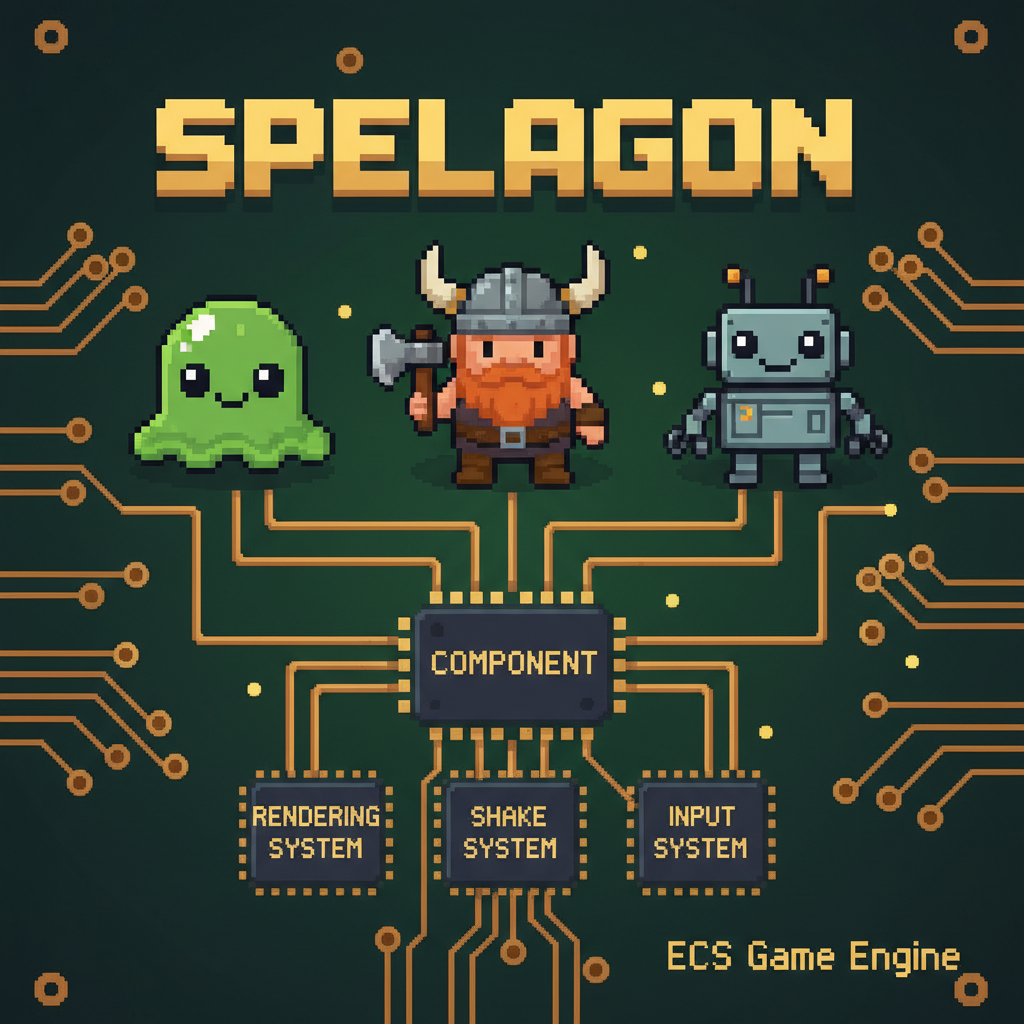
Spelagon ECS finally has an official logo! I wanted something that captures both the playful nature of the games built with the engine and the technical architecture that powers them.

The Design

The logo visualizes the Entity-Component-System architecture at the heart of the engine:

Entities - The three cute characters at the top (slime, viking, robot) represent game entities. In ECS, entities are just containers that hold components - they could be anything from a player character to a particle effect.

Component - The central node shows how components are the data attached to entities. Components are pure data: position, health, sprite information, velocity - whatever your game needs.

Systems - The three systems at the bottom (Rendering, Shake, Input) process entities that have the relevant components. Systems contain the logic - they iterate over entities, read component data, and make things happen.

Why ECS?

The Entity-Component-System pattern keeps data and logic separate, making it easy to add new features without touching existing code. Want to make an entity shake? Just add a Shake component - the ShakeSystem will pick it up automatically.

This architecture is what allows Spelagon ECS to output entire games as single HTML files under 50KB while still supporting features like tile maps, sprite animations, sound effects, and state management.

The pixel art style reflects the retro 2D games the engine is designed to create. Check out the other games on this site to see Spelagon ECS in action!

Moles: A Year of Engine Evolution

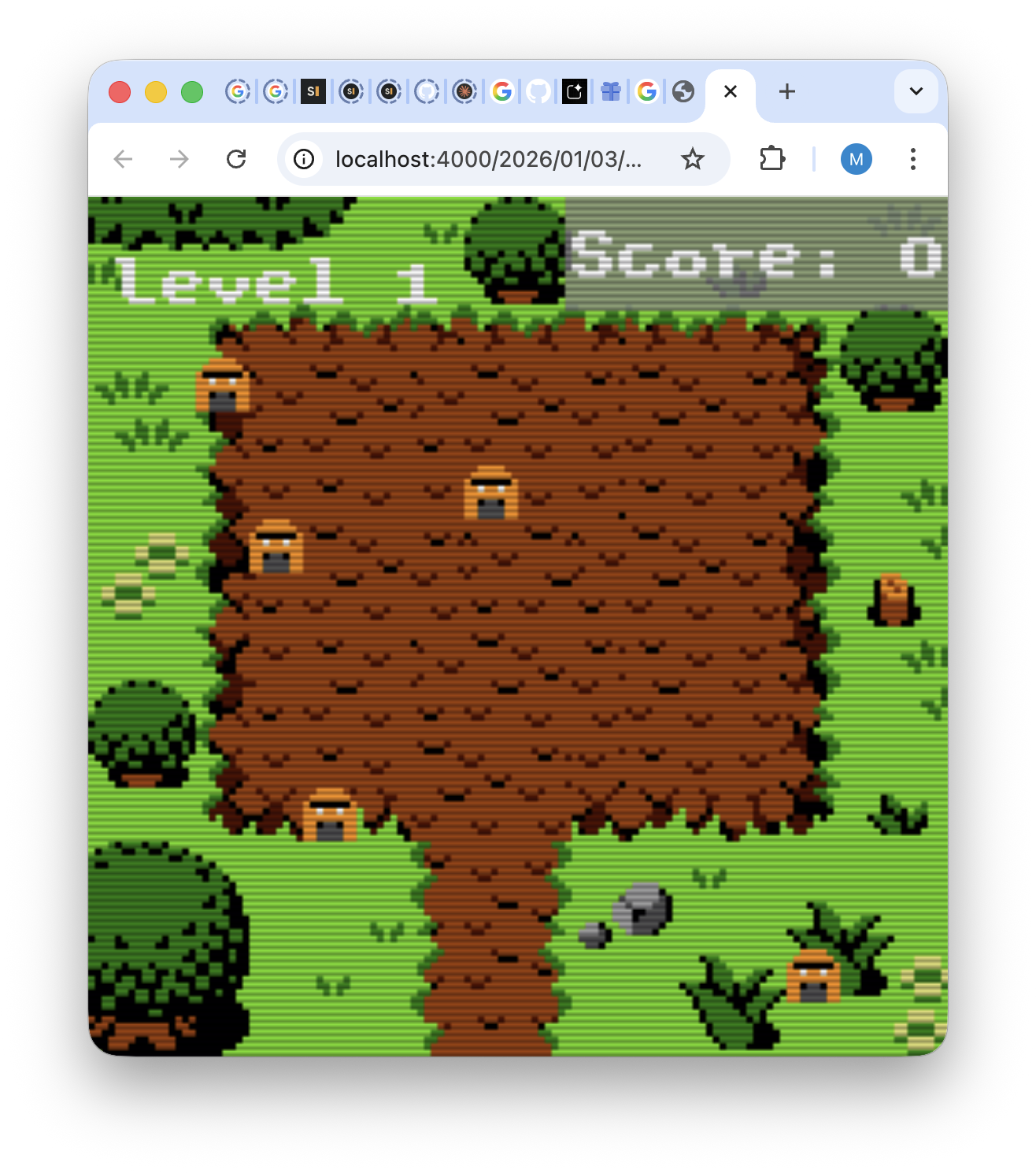
Moles has come a long way since my first post in 2022. What started as a simple showcase for my ECS game engine has grown into a polished little game with proper state management, sound effects, difficulty progression, and satisfying visual feedback.

Direct link to game: >>> Play Moles! <<<
What’s New

Progressive Difficulty - The game now features 10 levels of increasing challenge. Each level ramps up the initial mole count, spawn rate, and threshold before you lose. Beat all the moles to advance to the next level.

Sound Effects - Using the zzfx library, Moles now has satisfying hit and miss sounds. The sounds are procedurally generated and embedded directly in the code - no audio files needed.

Visual Polish - Moles now shake randomly before being hit, giving a “whack-a-mole” feel. When you successfully hit a mole, there’s a squash effect and the mole flies off the screen with a smooth arc animation.

State System - The engine now has a proper declarative state management system. Moles uses this for the welcome screen, gameplay, win/lose conditions, and automatic transitions between levels.

Level Indicators - A flickering level indicator appears at the start of each round so you know how far you’ve progressed.

Technical Details

The entire game - sprites, sounds, tilemap, and all game logic - compiles down to a single 46KB HTML file. No external dependencies, no loading screens, instant playability.
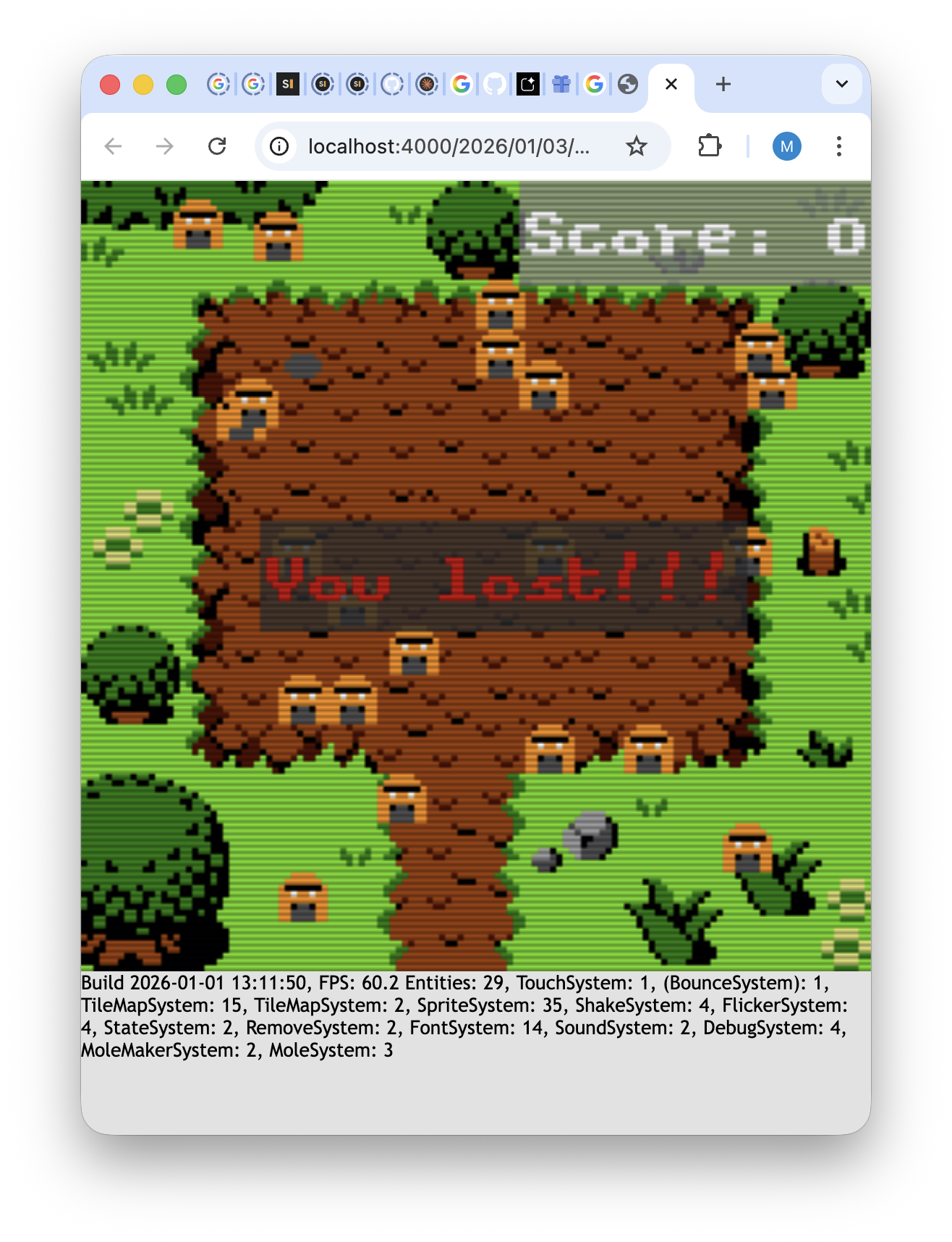
The engine includes a debug system that shows FPS, entity count, and CPU time spent in each system - useful for profiling and optimization.

The core engine features used in Moles:

  • TouchSystem - Handles click/tap input with configurable hit margins
  • ShakeSystem - Adds the random jitter effect to moles
  • BounceSystem - Used for the bouncing “Click to start” text
  • SpriteSystem - Renders moles from a tilesheet
  • FontSystem - Bitmap font rendering for score and messages
  • SoundSystem - Pre-renders zzfx sounds at load time for instant playback
  • StateSystem - Manages game states with automatic entity cleanup and system enable/disable
  • RemoveSystem - Handles timed entity removal

The SpelagonECS Engine

This game is built on SpelagonECS, my custom TypeScript Entity Component System engine. The design goals are:

  1. Tiny bundle size - Everything in a single inlined HTML file
  2. No dependencies - Zero runtime npm packages
  3. Mobile-first - Touch input and mobile performance prioritized
  4. Multiple instances - Can run several games on the same page

The engine has grown to support tile maps, sprite animations, hierarchical transforms, particle effects, and more. Check out my other games built with the same engine!
Moles

This is a showcase game for my ECS html5 game engine.
It is written mostly in Typescript and a key requirement is that the output should only ever be a single tiny html file. This html file should include EVERYTHING, game assets, sounds, music, sprites!

The game itself is not that interesting, click/tap on “Moles” that keep popping up on screen to remove them.

Direct link to game: >>> Moles!!! <<<

Cave Dweller

Overview

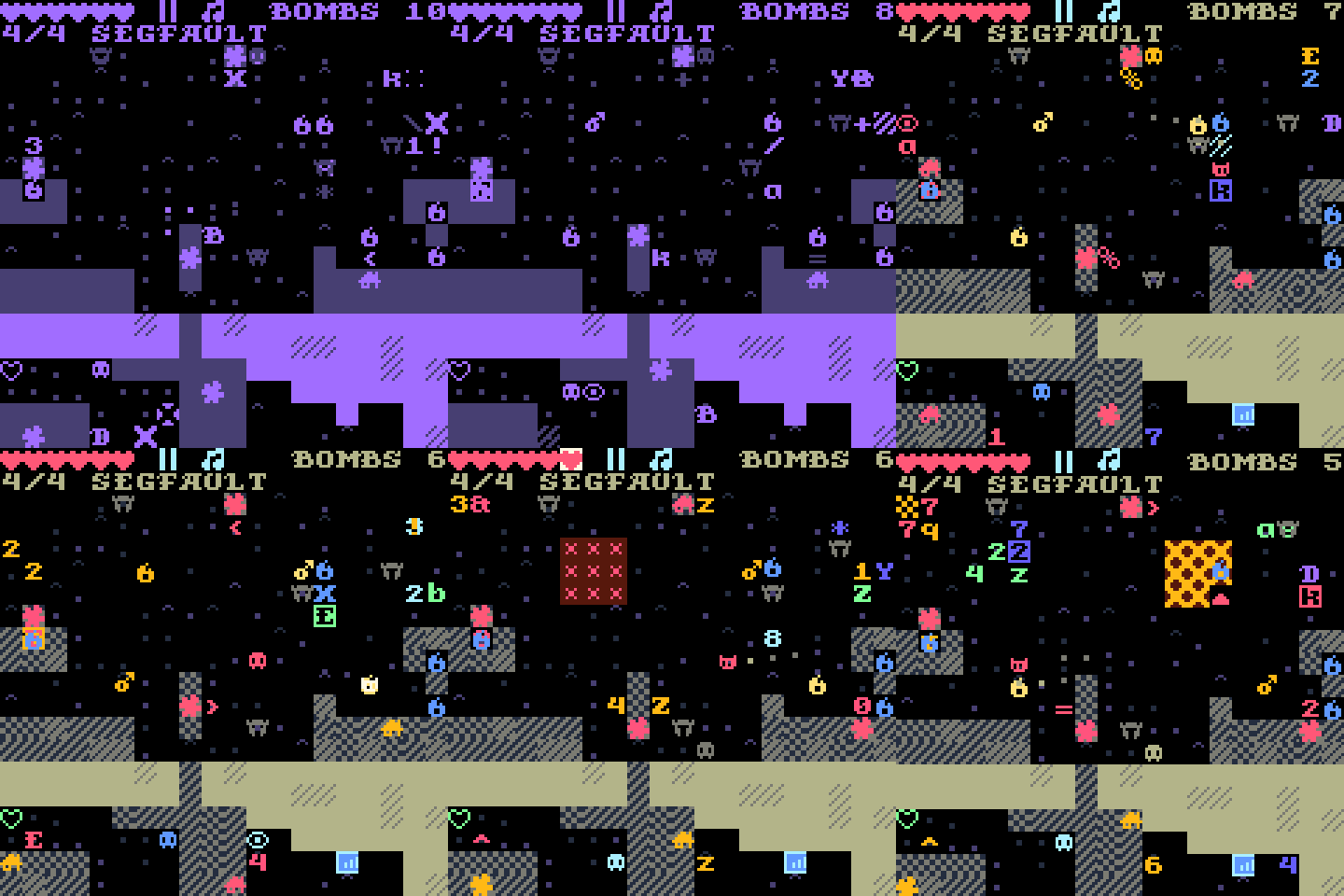
All your precious gems have been scattered around a huge cave system. Get them back and escape the caves! There is no way to control your game character directly but you can help him by paving the way using the different objects available in each level such as walls, blocks, bombs, fire etc. Try to get him safely to the exit and collect all gems.
This game is built using HTML5 so will work on all devices with modern browsers. Works best with touch enabled devices such as smart phones and tablets but possible to play in desktop browsers too.

Direct link to game: >>> Play Cave Dweller <<<
(It will take some time to load the game, please be patient)

Shrooms

A little Match 3 game I wrote to learn more about Typescript.
Optimized for mobile devices.

Direct link to game: >>> Play Shrooms <<<

Heavy Hogur

Overview

Follow Heavy Hogur on a journey through the mountains and islands of Ivereth. Explore vast cave systems, collect crystals with your trusty pickaxe, discover buried treasures and recover legendary artifacts. 60 rooms full of adventure awaits you!

Gameplay

Heavy Hogur is a 3D puzzle game (Windows) with a unique game mechanic. Hogur is literally “heavy” and most of the ground is crumbling where ever he walks. Plan your path wisely, and “carve” your way through the different rooms.

Download >>> Heavy Hogur DEMO <<<

Buy your Full version from GamersGate >>> Heavy Hogur <<<

What other say

Heavy Hogur is an essential purchase for puzzle-gaming fans.

Gamezebo

…it offers an old-fashioned collection of puzzles, which are pretty satisfying to solve.

RockPaperShotgun

…a winner who will challenge yet not frustrate you.

Fileplanet

Screenshots


Mulver

Overview

Uncle Miggles is in trouble! Sneaky king Porco has captured him and to let him go he wants you to first get the three Yre crystals that are hidden troughout the kingdom. You must help uncle Miggles!

Guide Mulver through different parts of the kingdom in search for gold and the Yre crystals. Avoid enemies, uncover secret areas, time your jumps and use all your skill to navigate through the challenging levels in this 3D platform game.

This game is available for purchase here >>> Mulver <<<

System Requirements

OS: Windows XP/Vista
CPU: ~1Ghz processor
Video: 64Mb